Data, right where
you need it.
Provision a database and attach it to an app. Connection variables are wired in for you.
PostgreSQLRelational
MySQL / MariaDBRelational
MongoDBDocument
RedisIn-memory
Open source. Self hosted. All yours.
The power of a cloud platform.
The freedom of your own servers.
Deploy apps, run databases and keep everything under control. From your first VPS to your own cluster.
Meet your control center
A real platform for the things you build.
One place to deploy, observe and operate.
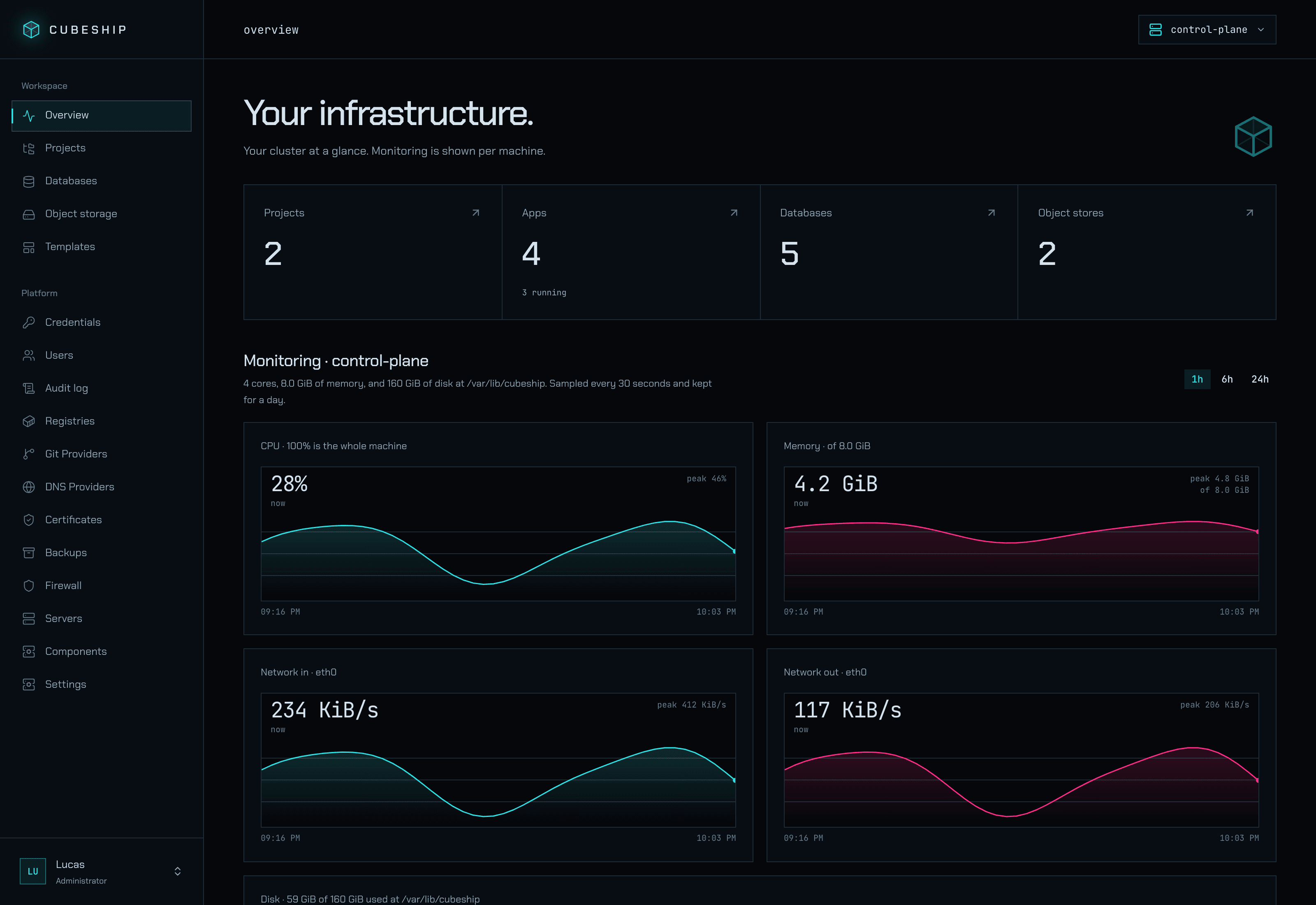
Your next control center. Try it here.
Real dashboard. Sample data. No sign-up.CPU, memory, disk and network. Know what your servers are doing, without piecing together another stack of tools.
Made for shipping
Bring your code. Cubeship handles the build, the container and the route to the world.
Find your deployment flowConnect GitHub and let each push move your app forward.
Use a Dockerfile, or let Railpack build from your repository.
The new container must be healthy before the old one goes.
More than a deploy button
The services your apps depend on.
Connected, visible and under your control.
Provision a database and attach it to an app. Connection variables are wired in for you.
Scheduled database backups to an off-server bucket. Restore from the same dashboard.
Protect your dataRun SeaweedFS on your server or connect the S3 storage you already use.
Explore object storageSpace to grow
Add another machine when you need it. Your apps get more room. You keep one platform.
Meet the clusterDomains and certificates stay at your control plane. Moving an app between machines keeps its address intact.
An encrypted private network connects your machines. Services reach each other by the names they already use.
Place apps where they belong, add replicas or set a CPU target and let Cubeship adjust the count.
Built for the way you work
Click through the dashboard, script with the CLI, or connect your coding agent over MCP. Your infrastructure is ready for all three.
“Create a project, deploy my app and connect a Postgres database.”
Authenticated with your API key. Resource ceilings and public ports stay in your hands.
A head start, included
Community templates package the app and the data it needs. Choose one and make it yours.
Explore the catalog
Open WebUI is a self-hosted chat interface for language models: it talks to Ollama and to any OpenAI-compatible API, keeps chats and users, and answers questions over documents you upload.

Ollama runs open language models — Llama, Qwen, Gemma and others — on your own machine, behind an HTTP API that chat front-ends, automation tools and code can call.

Mattermost is an open-source team chat: channels, direct messages, threads, file sharing and integrations, with desktop and mobile apps, running on your own server.

Documenso is an open-source document signing platform: upload a PDF, place fields, send it out for signature, and get back a digitally signed document with an audit trail.
One command turns your server into your platform. Free and open source, with every feature included.
curl -fsSL https://cubeship.dev/install.sh | sh